The command surface
Interactive or headless — same loop, same journal.
Type /self-improve mid-session for the interactive control plane, or drive the
same loop from a script or scheduler with learn <action>. Every action is
journaled; nothing goes live without your say-so.
Free to share — no tracking, no sign-up.
Every action
Seven commands, one governed loop.
The canonical surface is /self-improve <action>, typed mid-session in your
assistant. Each action also runs headless via your agent's equivalent — in
AEGIS,
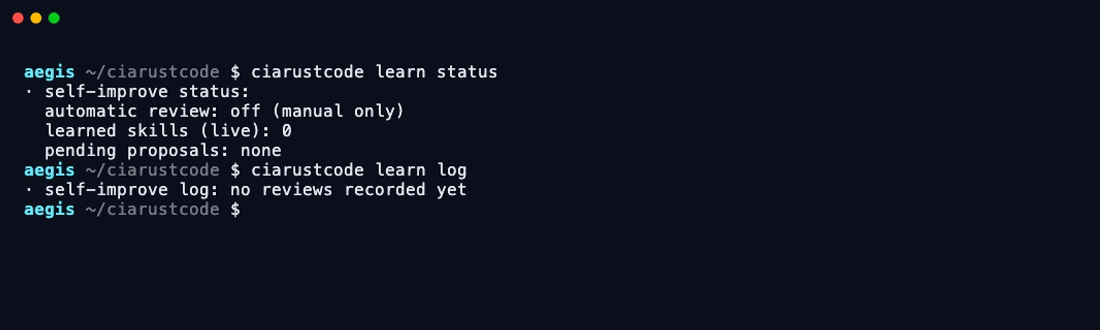
our guardrailed coding agent, the same surface ships natively as ciarustcode learn <action>.
-
/self-improve review
Review the session (or a saved transcript with --transcript) for corrections, preferences and reusable techniques, and write proposals — never live skills.
-
/self-improve status
The dashboard: is automatic review on, how many learned skills are live, what proposals are pending your decision.
-
/self-improve approve <name>
Promote a proposal into the live skill library. Approval is explicit and per-skill — nothing self-activates.
-
/self-improve reject <name>
Decline a proposal. Rejected proposals are archived, never deleted — the decision itself is part of the record.
-
/self-improve curate
Consolidate the library: merge duplicates, retire stale entries. Designed as the target for a weekly scheduled job.
-
/self-improve log
The journal: every review that ran, what it saved or proposed, and when. The learning loop's own audit trail.
-
/self-improve pause / resume
One command freezes all learning instantly; one brings it back. Pause always wins over any schedule.
The kill switch. One file on disk gates every automatic behaviour — any human can touch it, and the journal shows the gap.
Built to be scheduled
curate is designed as a weekly cron/launchd job — on our Claude Code deployment
it's a Sunday launchd task running the curator script. The AI pass has no shell — it only
proposes moves in a plan file that a validating script checks (provenance, pins, protection)
before applying and committing to git.
$ bash ~/.claude/skills/self-improve/scripts/curator.sh
# or, in AEGIS: $ ciarustcode learn curate
# nothing is ever deleted — archive is the maximum action.
Why this is a safety feature
Learning is governed like every other action.
Learning is a proposal
A learned skill changes future behaviour — so it never activates itself. It lands in a proposals folder with a readable description; approve promotes it, reject archives it. No silent self-modification.
Rejected ≠ deleted
Declined proposals are archived with a date, and protected skills can never be touched by the loop. You can always reconstruct what it wanted to learn and what you said no to.
Pausable, provably
learn pause stops every automatic review instantly; the journal shows the gap. Manual use keeps working — the automation simply stands down until you resume it.
Take the commands with you.
One markdown file: the full command surface, the methodology, the pocket prompt and the adapter pattern for other agents. No sign-up, no tracking.